title: "SONOFF SNZB-04 control via MQTT" description: "Integrate your SONOFF SNZB-04 via Zigbee2MQTT with whatever smart home infrastructure you are using without the vendor's bridge or gateway." addedAt: 2020-07-10T21:02:48Z
pageClass: device-page
SONOFF SNZB-04
| Model | SNZB-04 |
| Vendor | SONOFF |
| Description | Contact sensor |
| Exposes | battery, voltage, contact, battery_low |
| Picture | 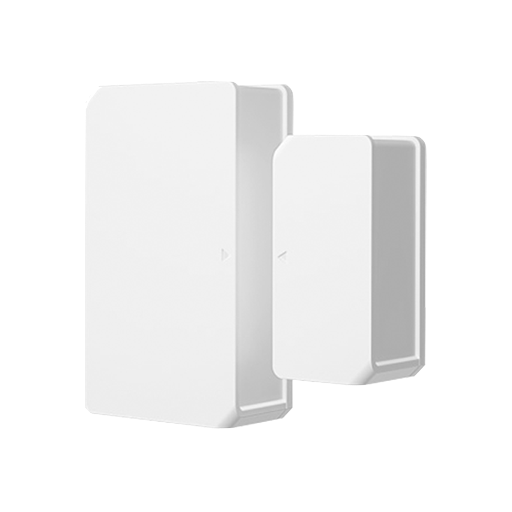 |
| White-label | eWeLink RHK06 |
Notes
Pairing
Long press reset button for 5s until the LED indicator flashes three times, which means the device has entered pairing mode
Exposes
Battery (numeric)
Remaining battery in %.
Value can be found in the published state on the battery property.
To read (/get) the value publish a message to topic zigbee2mqtt/FRIENDLY_NAME/get with payload {"battery": ""}.
It's not possible to write (/set) this value.
The minimal value is 0 and the maximum value is 100.
The unit of this value is %.
Voltage (numeric)
Reported battery voltage in millivolts.
Value can be found in the published state on the voltage property.
To read (/get) the value publish a message to topic zigbee2mqtt/FRIENDLY_NAME/get with payload {"voltage": ""}.
It's not possible to write (/set) this value.
The unit of this value is mV.
Contact (binary)
Indicates whether the device is opened or closed.
Value can be found in the published state on the contact property.
It's not possible to read (/get) or write (/set) this value.
If value equals false contact is ON, if true OFF.
Battery low (binary)
Indicates whether the battery of the device is almost empty.
Value can be found in the published state on the battery_low property.
It's not possible to read (/get) or write (/set) this value.
If value equals true battery low is ON, if false OFF.